
Free · works offline · syncs on every device
The free productivity planner app to plan, focus and grow
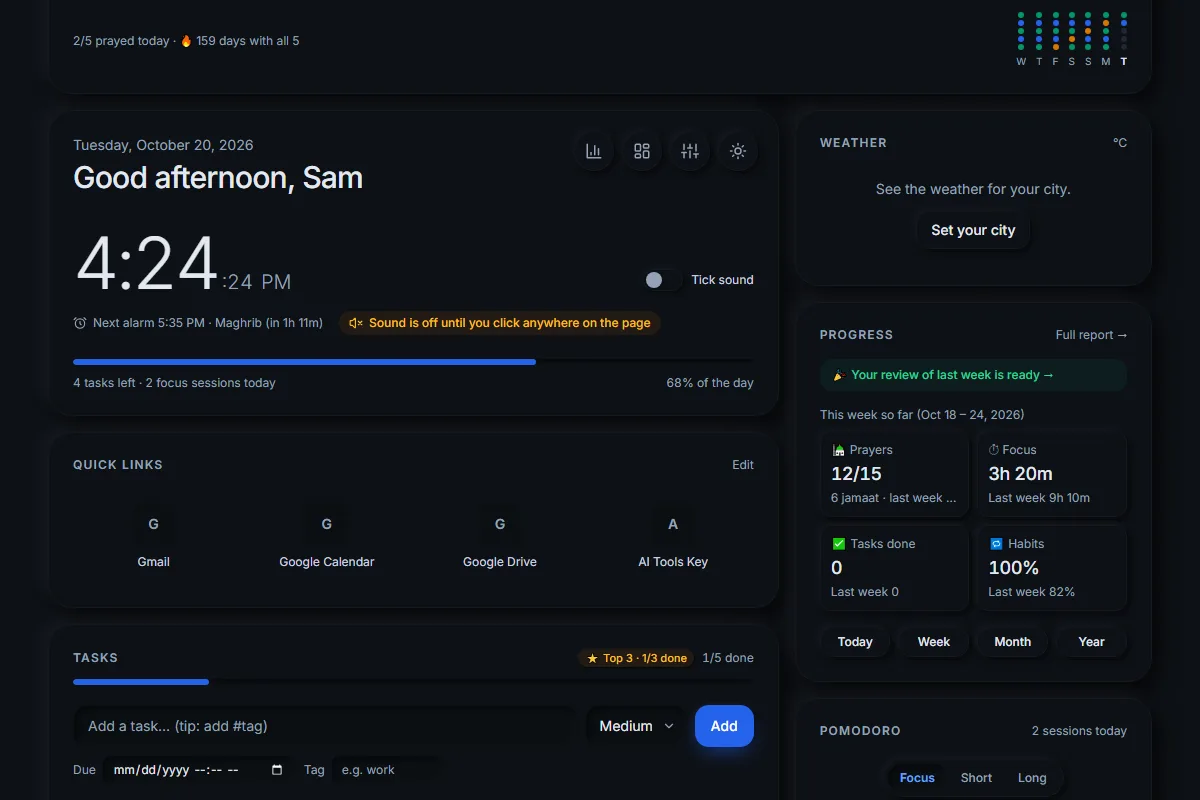
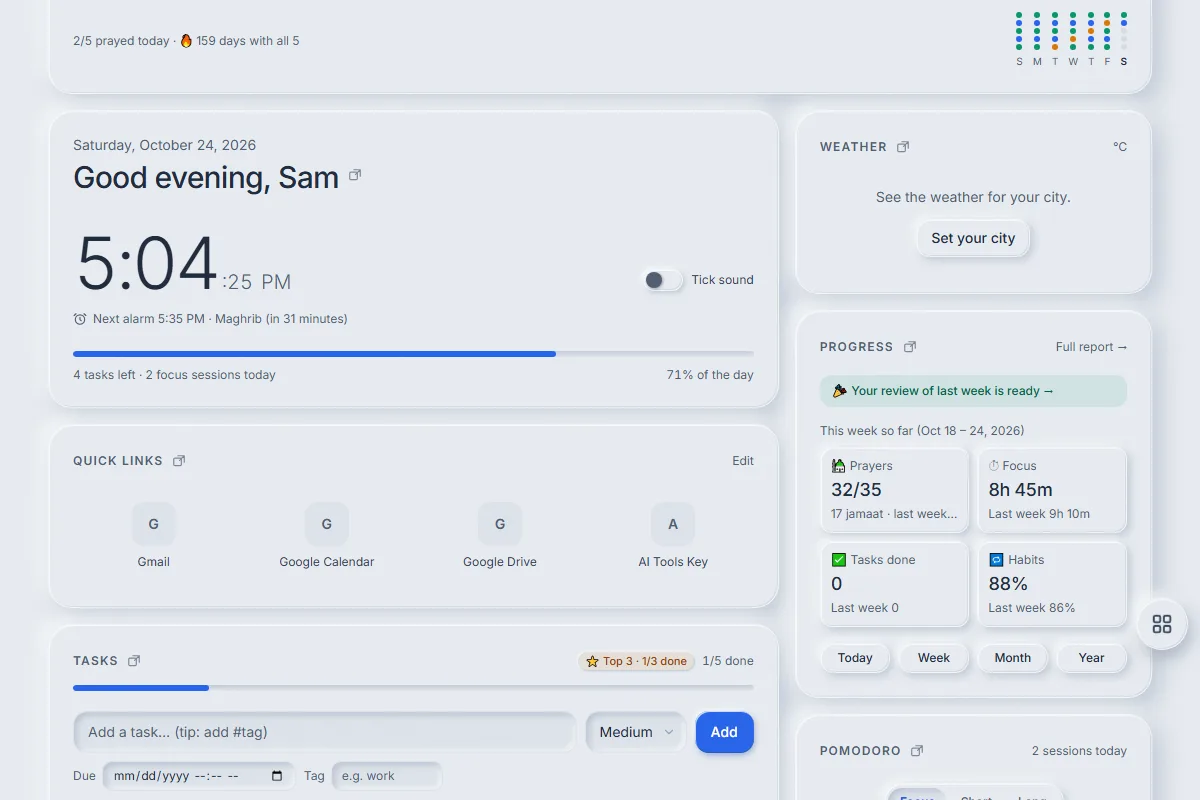
Uprise is a free productivity planner app by AI Tools Key. It puts your tasks, a Pomodoro focus timer, habits, goals, notes and progress reports on one calm dashboard. It works in any browser, installs on your phone and computer, keeps working offline and syncs your data when you sign in.
No credit card · No ads · English · Dark and light themes
What is Uprise?
Uprise is a free productivity web app made by AI Tools Key, run by Aaj Rumman in Bangladesh. It brings the tools most people juggle in five apps — a to-do list, a focus timer, a habit tracker, goals and a journal-style review — into one dashboard you can move around and make your own.
- Daily planner Tasks with priorities, due dates, tags and subtasks. Pick a Top 3, wrap up your day, plan tomorrow.
- Pomodoro focus timer Custom rounds such as 25+5×4 with a 15-minute long break, session goals, break tips and focus mode.
- Habits & goals Build or quit habits with streaks. Weekly, monthly and yearly goals that fill in from your work.
- Reports & reviews Day, week, month and year reports with reflections — and a 400-day activity heatmap.
- Salah tracker (optional) Log the five prayers as jamaat, alone, late or missed, with prayer alarms and the Hijri date.
- Notes, alarms & more Markdown notes, alarms, countdowns, a mini calendar, daily quotes and weather in one calm view.
How does Uprise work?
Three steps, about one minute.
- 1
Sign up free
One click with Google, or your email and a password.
- 2
Set it up your way
Pick your focus rhythm, theme and whether to show the prayer tracker.
- 3
Use it anywhere
Install it on your phone and laptop — your data syncs.
Is Uprise free?
Yes. Every feature on this site is free to use, with no ads and no credit card. Each account can store up to 5 MB of synced data, which is enough for years of tasks, notes and history for most people.
Does Uprise work offline?
Yes. After your first visit, Uprise opens without internet. Changes are saved on your device and sync to your account when you are back online, so your laptop and phone show the same tasks, habits and notes.
Why was Uprise made?
“I built the first version for myself — a single page I opened every morning with my tasks, a Pomodoro timer and my prayer times. After using it every day, I added habits, goals and weekly reviews, and then I opened it up so anyone can use it for free.” — Aaj Rumman, founder of AI Tools Key
Find the right AI tools for your work
Uprise is made by AI Tools Key, a directory that helps you compare AI tools for real tasks. Start with these finder pages:
Questions people ask
Is Uprise really free?
Do I need to download anything?
Does Uprise work offline?
Can I use Uprise on my phone and computer?
Is the prayer tracker required?
Who makes Uprise?
Plan your day, focus deeper, grow every week
Free, no credit card. Works in your browser and installs on your phone and computer.
Last updated: